Before I started this course I have a limited knowledge and experience about Linux and using the command line interface. After starting this semester, I have definitely increased my understanding of using both the GUI and CLI using the VM ware software.
With the building of my repositories, and creating them through the different software applications such as Drupal, Eprints, Dspace, Omeka and the associated plugins such as Harvester, and Jhove, they have been very valuable in giving me an overview of how the different applications are able to organize data for the data collections.
In addition, this process of building through using different software has also given me insight into how a manager would have to look at the budget allocated for their organization, and how to choose the best software applications to implement their collection and the different criteria needed to make the proper assessments.
I found the process re-emphasizing the importance of how to implement a controlled vocabulary and using the proper taxonomy when creating and organizing the repositories.
This course has given me a chance to review and determine the strengths and weaknesses of the different software applications and what would be the best organizational environment for the implementation of the repository software based on the previously mentioned criteria, of budget, features, ease of installation, ability to handle large data collections.
Wednesday, December 8, 2010


Friday, December 3, 2010
Unit: 12
In installing the software for the Virtual Machines on windows 7 I really didn't have much difficulty in accomplishing this. Through using the VM for the assignments I found a deeper understanding in the differences in using a CLI versus a GUI.
I would prefer to use a Virtual Machine over a preconfigured server such as Ubuntu as I am feeling comfortable with the CLI in the VM. The most issue with using the command line is that your syntax has to always be exactly correct and there is no room for errors. Of course the visual GUI is more comfortable and faster.
Although, having a pre-configured machine, where as all one had to do is to add the digital collection would be much easier and less complicated. I can see however, if I was in an IT position, in a location where a windows installation previously existed it would be a definite advantage in having a working knowledge of Virtual Machines.
All of this of course depends on the bandwidth being used in the application and how much traffic one is expecting for the repositories in question, in which case I would recommend using a dedicated Linux server.
From a cost perspective I would all in all have to go with the Linux installation to host the repository.
In conclsion, I think that it was very valuable to learn how to build a repository from scratch and will come in handy in my future studies.
I would prefer to use a Virtual Machine over a preconfigured server such as Ubuntu as I am feeling comfortable with the CLI in the VM. The most issue with using the command line is that your syntax has to always be exactly correct and there is no room for errors. Of course the visual GUI is more comfortable and faster.
Although, having a pre-configured machine, where as all one had to do is to add the digital collection would be much easier and less complicated. I can see however, if I was in an IT position, in a location where a windows installation previously existed it would be a definite advantage in having a working knowledge of Virtual Machines.
All of this of course depends on the bandwidth being used in the application and how much traffic one is expecting for the repositories in question, in which case I would recommend using a dedicated Linux server.
From a cost perspective I would all in all have to go with the Linux installation to host the repository.
In conclsion, I think that it was very valuable to learn how to build a repository from scratch and will come in handy in my future studies.
Unit: 11
The Eprints website provides a global solution for repositories, and is used in over 299 archives worldwide. This alone says a lot for it and gives it a high rate of success as a solution that can handle a large number of document requests. It does seem however that one would have to give a lot of detailed thought, as in order to enter the data into the collection you have to go through many steps which seem redundant. Also, it seems that in browsing, you are given the subject headings and then having to choose the controlled vocabulary as well.
My opinion is that EPrints is made for professional institutions, and here is where the strength lies as stated on the homepage, as it can address a large bandwidth of users and document downloads. I found Omeka.org to be a nicely designed website which provided the information in a simplistic, clear fashion which made me want to download and install it. The help documentation was very clear and concise as well.
In my visit to DSpace.org I like the overall design of the website and layout of the menu. It seemed that DSpace allows a lot of customization for the software itself. There is support for the customization; however, the support seems that it could be clearer and simpler in elucidation of the steps. It seems that one could easily get overwhelmed with all of the available customizations in configuring DSpace.
My overall favorite would have to be the Drupal website and software. When you first browse to the website one finds an immediate sense of the Drupal community. The website provides excellent documentation regarding the installation and customization of the software. In addition, it is constantly being upgraded and updated, being an open source project, with over 725,443 people in 228 countries using Drupal, it would be my definite choice for implementing a repository.
Some of the success stories for Drupal include “The White House”, which in itself is very impressive and speaks highly about Drupal capabilities and security. With over 7,269 modules for support, Drupal is set up to handle even the most strenuous requirements of webmasters creativity.
I found that the Harvester website was of course as expected, very technical in nature geared towards the seasoned IT professional. It was very clear and concise and straight forward, in its organization of the support documentation.
Harvester seems to me to be one of the most important tools in the harvesting of information across multiple repositories. In addition, I noticed a myriad of additional tools that can be used in conjunction with Harvester. All in all, I look forwards to further working with Harvester.
The Jhove website is also directed towards the IT professional, with a large amount of experience with integrating plugins, into existing websites. This particular plugin seems to be directed towards be able to automate the task of identifying the format of the digital media in a collection for the purpose of very large collections, where decisions regarding policy, storage, preservation, and processing are the key elements. It provides a CLI for accessing the API, and also a swing based on GUI for invoking Jhove.
My opinion is that EPrints is made for professional institutions, and here is where the strength lies as stated on the homepage, as it can address a large bandwidth of users and document downloads. I found Omeka.org to be a nicely designed website which provided the information in a simplistic, clear fashion which made me want to download and install it. The help documentation was very clear and concise as well.
In my visit to DSpace.org I like the overall design of the website and layout of the menu. It seemed that DSpace allows a lot of customization for the software itself. There is support for the customization; however, the support seems that it could be clearer and simpler in elucidation of the steps. It seems that one could easily get overwhelmed with all of the available customizations in configuring DSpace.
My overall favorite would have to be the Drupal website and software. When you first browse to the website one finds an immediate sense of the Drupal community. The website provides excellent documentation regarding the installation and customization of the software. In addition, it is constantly being upgraded and updated, being an open source project, with over 725,443 people in 228 countries using Drupal, it would be my definite choice for implementing a repository.
Some of the success stories for Drupal include “The White House”, which in itself is very impressive and speaks highly about Drupal capabilities and security. With over 7,269 modules for support, Drupal is set up to handle even the most strenuous requirements of webmasters creativity.
I found that the Harvester website was of course as expected, very technical in nature geared towards the seasoned IT professional. It was very clear and concise and straight forward, in its organization of the support documentation.
Harvester seems to me to be one of the most important tools in the harvesting of information across multiple repositories. In addition, I noticed a myriad of additional tools that can be used in conjunction with Harvester. All in all, I look forwards to further working with Harvester.
The Jhove website is also directed towards the IT professional, with a large amount of experience with integrating plugins, into existing websites. This particular plugin seems to be directed towards be able to automate the task of identifying the format of the digital media in a collection for the purpose of very large collections, where decisions regarding policy, storage, preservation, and processing are the key elements. It provides a CLI for accessing the API, and also a swing based on GUI for invoking Jhove.
Wednesday, December 1, 2010
Unit 10: Useful Providers
I found the listing of service providers at the link http://www.openarchives.org/Register/Browse Sites .
First, Humboldt University of Berlin had 8 different contributing sources. I feel that this was a good source overall, as it had articles which related to my digital collection. Based on the fact that this source was not directly a sports source I think they did a good job of at least having relevant collections. I enjoyed the relative ease and simplicity of using their search repository.
Secondly, the Internet Archive OAI Repository is a fantastic collection utilizing at least 11 major contributors including the “Library of Congress” to “National Science Foundation” just to name a few.I like the setup of the search page which is very simple with access to over 150 billion pages of information. I would have to say this was one of my favorite websites and I have bookmarked it as its layout is simple but very concise and clear.
Thirdly, I found Diva.org and it was a quick and easy search , however, the results and meta-data were not very relevant to the search. It was difficult to find information regarding Arabian soccer championships on this website, so although easy to use, it was lacking the detailed meta-information desired.
Even though this website indexed information from a number of sources, the sources, were lacking relevance.
First, Humboldt University of Berlin had 8 different contributing sources. I feel that this was a good source overall, as it had articles which related to my digital collection. Based on the fact that this source was not directly a sports source I think they did a good job of at least having relevant collections. I enjoyed the relative ease and simplicity of using their search repository.
Secondly, the Internet Archive OAI Repository is a fantastic collection utilizing at least 11 major contributors including the “Library of Congress” to “National Science Foundation” just to name a few.I like the setup of the search page which is very simple with access to over 150 billion pages of information. I would have to say this was one of my favorite websites and I have bookmarked it as its layout is simple but very concise and clear.
Thirdly, I found Diva.org and it was a quick and easy search , however, the results and meta-data were not very relevant to the search. It was difficult to find information regarding Arabian soccer championships on this website, so although easy to use, it was lacking the detailed meta-information desired.
Even though this website indexed information from a number of sources, the sources, were lacking relevance.
Unit 9: Cataloging
I would have to say that throughout this entire process of utilizing the different systems of “content management”, I have found it to be a definite challenge in that it is very time consuming to learn the different systems of cataloging, and implementation of data collections.
In addressing the consistency aspect, I feel that it was not difficult to maintain the consistency across the different content management systems such as Drupal, Eprintss, Dspace . In adding the catalog items, I found that by being methodical, and slow with clarity of focus, that this aided me greatly so that it was not as difficult a challenge as I anticipated it would be.
If a company had a need for the services of a good cataloging system and they did not have anyone in house trained to implement the system and would have to purchase this service, it certainly would be an expensive proposition for any company.
I feel that the cost depends on the need of the company as if the company is in a business that utilizes the “data collection”, that is constantly being updated, and this has an important impact on how the business makes their money, than it might be better to hire staff that is already trained in cataloging using the most efficient systems to return precise results for their customers.
In addressing the consistency aspect, I feel that it was not difficult to maintain the consistency across the different content management systems such as Drupal, Eprintss, Dspace . In adding the catalog items, I found that by being methodical, and slow with clarity of focus, that this aided me greatly so that it was not as difficult a challenge as I anticipated it would be.
If a company had a need for the services of a good cataloging system and they did not have anyone in house trained to implement the system and would have to purchase this service, it certainly would be an expensive proposition for any company.
I feel that the cost depends on the need of the company as if the company is in a business that utilizes the “data collection”, that is constantly being updated, and this has an important impact on how the business makes their money, than it might be better to hire staff that is already trained in cataloging using the most efficient systems to return precise results for their customers.
Tuesday, October 19, 2010
EPrints

In comparing the installation process of Drupal and Dspace, with EPrints, I would have to say most definitely it was easier than Drupal and Dspace, with the exception of the inferred logic of the installation instructions. However, other than that, I would have to say that it was a quicker installation using the apt method, and I would have to recommend to anyone else to use this versus the manual method.
Friday, October 15, 2010
Unit7: Creating Database
A future area which I would like to explore would be to create a possible database page in which the person enters their name and interests into the fields, and then it is saved into the database, and finally displayed on another page if it is possible with Dspace.
Unitb6: Installing DSpace

I found the installation very difficult from a regular person’s standpoint without previous training. I would have to say that I was able to complete the install; however, I would say I am already technically minded and so that helped quite a bit. For the normal person I would highly recommend contacting a systems specialist for further assistance in completing the installation with no problems.
Unit 5:

In using Drupal to house my content collections, it can definitely be beneficial for content creation and how it is organized for customized appearance and functionality. By choosing the correct taxonomy it will allow me to implement the “CCK” for the correct taxonomy field.
Drupal also gives you a large number of add-ins or plug-ins which are specific to ones purpose for a wide range of applications. In understanding Drupal , I can see where it would have the capacity to house a large digital collection.
Some additional benefits of using Drupal, is that it allows others to contribute additional content to my website. Drupal is an, multiuser interface which by design prevents information snarls or bottlenecks.
Sunday, October 10, 2010
Unit4: Drupal

Basically, successful web design is a balancing act between flexibility and simplicity. If a system is excessively uncomplicated, it can only be employed for a single purpose, however, but if it is extremely flexible, it may be tremendously complex for new users to learn.
With Drupal, the needs of the collection and its users can be met as it strives to bring together these contradictory objectives by providing its users with the instruments they need to make their own content management solution, at the same time, providing some prebuilt elements to help them get started. Hence, it can be depicted both as a content management system (CMS) and a content management framework (CMF) – a structure that endeavors to have the strong points of both, without their insufficiencies or deficits.
Also, Drupal treats most content types as variations on the same concept -- a node, so the static pages, the photographs and the text types are all stored in the same way, and the site’s navigation structure is conveniently designed by editing menus, view), and blocks which usually have links to different site sections.
Unlike in the separation one finds in standards-compliant page coding, the XHTML provides the significant structure of the information, while CSS arranges it for presentation. With Drupal, the nodes hold the structured information pertaining to the digitized photo (such as title, content, author, date) or the research item (title, content, go-live date, take-down date), while the menu system, as well as taxonomy (tagging of content) and views, create the information architecture. And lastly, the theme structure, together with its display modules like the panels, controls how all this would look to site visitors.
Since these layers are split up, it can provide an entirely different navigation and presentation of the whole content to diverse users based on their specific needs and roles. Pages can be clustered in a different way, prioritized in a different order and a range of functions and content can be shown or hidden as needed.
Unit3: IRLS675
Comparing to the 672 course, I really found that the Tech assignment is very clear. In fact, there are many problems was faced me during the beginning of the course such as access to the internet problem, my own computer problem, and health problem. Honestly, so far I have not found any issues with two instructors with different materials; however, there are many readings in both Tech and Mgmt. I always believe that practicing is a good way to success.
Wednesday, September 29, 2010
Unit2: CMS
The article “Content Management Systems” addresses the issue of this technology which allows libraries to manage web based information without having to code information into each page in HTML by hand. Libraries need these systems because their web presence is so great that it is hard to manage the content. The article explores issues that relate to the implementation of content management systems. The author suggests that content management systems will keep on growing and evolving. Libraries cannot ignore or neglect their web presence but must recognize that times have changed and that online catalogs are not enough. They must manage the content of their web pages. This article offers good information about the key issue of implementation by some libraries; however, more in-depth information would have been very helpful.
Championships of Al-Ittihad Club From Saudi Arabia

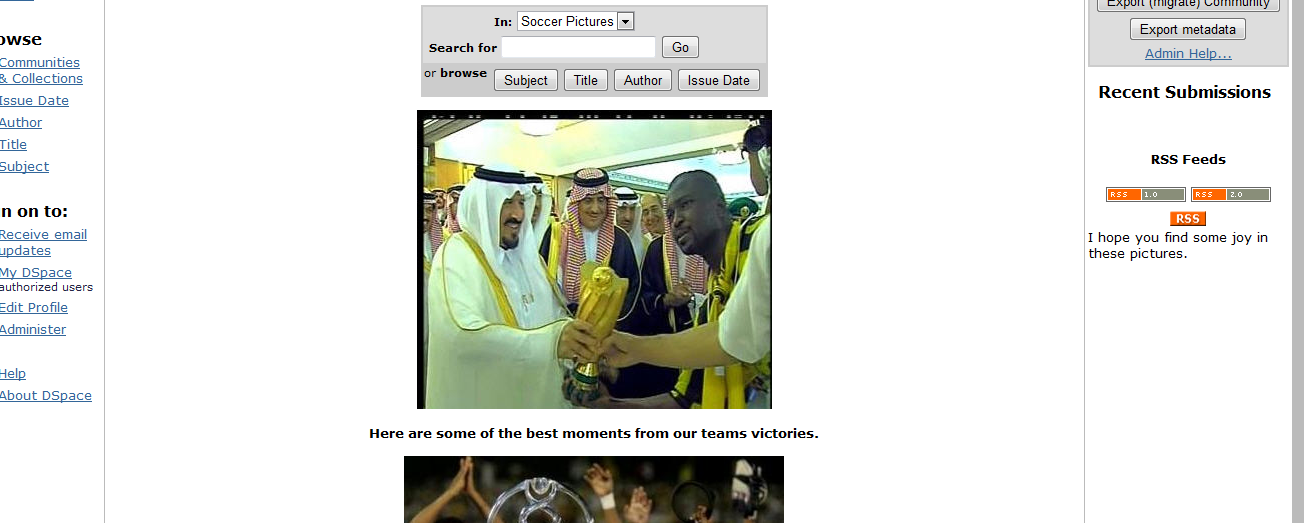
My collection addresses one of the most famous soccer teams in the Middle East and Asia. The Al-ittihad soccer club is located in Saudi Arabia. There are 15 images in the collection which show that more championships have been won by Al-ittihad during the last 10 years than by any other team. Over the last decade, more and more people have become interested in international soccer, and as a result, many users will want to access this collection. Terms that will be used to provide access include: cup, league, goal-scoring, and champions.
Tuesday, August 10, 2010
Project Managment
This week I have to do many readings. Unfortunately, I do not finish reading most of them because my main concern was for the final project and final exam. However, I am sure that all of the readings for this week are very useful and helpful. The three best reading that I read are Making Decisions, Project Risk Management, and Standard Methodology in Digital Library Project Management by H. Cervone. They are very easy to understand. They are also very useful because they address the most issues that face digital libraries and their solutions. In addition, the three readings demonstrate the project management methodology.
Dream Becomes True
My dream became true. One year ago, I had no idea about computer’s hardware and software. Building a LAMP server during this Summer presented a full knowledge of technology. After finishing IRLS672 introduction to Applied Technology, I became familiar with CLI, GUI, and the differences between them. One of the best objectives that I had was how to do the technology plan in any organization. In addition, creating a database using MySQL was also one of the most important finding that I learned during this Summer. Finally, HTML, XML, and PHP were the best courses that I had.
Tuesday, July 27, 2010
SQL

Creating a database is considered one of the best aspects in this course. As a beginner, it was very difficult to understand and accomplish all materials in unit 9 and 10. However, I repeated reading all articles of those units above, and I began understanding the concept of SQL (Structured Query Language). I believe that learning how to create database and understanding SQL are very important and useful. However, few weeks are not enough to get them. For assignment 10, everything went well, and I did not have any problems except syntax. I found many problems for typo especially with (S) singular and plural. Overall, I enjoy learning SQL, and I will spend more time reading and practice it after finishing this course.
Saturday, July 24, 2010
Database
The concept of database is facilitating to a search mission. In the beginning, the most difficulties were to create the tables or entities and their attributes. No repeating elements or groups of elements, no partial dependencies on a concatenated key, and no dependencies on non-key attributes were the most important keys to create the tables or entities and their relationships. After reading the articles such as “The 3 Normal Forms: A Tutorial” by Fred Coulson and watching some tutorials such as "Data Modeling" by Joshus Mostafa are the best way to get everything clear.
Tuesday, July 13, 2010
Technology Plan
This past week we had to do many readings. They were very useful and helpful. However, the three readings I liked the best and considered the top were the following: First, the lecture “Recipe for Failure”, although it is very short, it presents a good clarification of Technology Plans. It also gives me a wonderful thought of the rest of the readings that I will read further. Second, one of the most important readings is “what went wrong? Unsuccessful information technology projects” by Brenda Whittaker. It is an amazing study because it presents an illustration of the strength and weakness of information of technology projects. Third, “Study Shows New Funding Sources…” by John Bertot and others demonstrates many programs that help public libraries to develop their services such as LSTA, E-rate, and Gates foundations. Finally, one of the greatest readings that I read this week was “Managing Technology” by Robert Dugan. Robert presents a great vision of information technology plans, and how they will affect the higher education in the United States.
Tuesday, July 6, 2010
The world of XML

Last week I learned HTML, and it was interesting to me. This week the task is learning XML. In the beginning, XML is eXtensible Markup Language; “It is a textual data format, with strong support via Unicode for the languages of the world. Although XML's design focuses on documents, it is widely used for the representation of arbitrary data structures”. (Wikipedia)
I read an introduction in XML in W3school web site. It is very useful and easy to understand, then I did some practice into it. After I got the concept about XML, I watched a tutorial in YouTube called “just enough XML to survive”. Although the speaker was talking very fast, I got a lot of information that helped me expanding my knowledge about XML. Finally, the introduction to XML that is been in cover pages is very useful because it has an easy style of explanation the idea.
Tuesday, June 29, 2010
Learning HTML

I began learning HTML last winter in 504 course. When I started doing my first page last winter, I found many difficulties to understand it. However, this week I concentrated on the PowerPoint “HTML Elements and Tags”, and I began understanding the idea. Then, I spent most of the time reviewing the tutorial “W3school”; I started from the introduction until HTML CSS. In fact, both the tutorial and the PowerPoint are very helpful and useful. I recommend everyone who wants to learn HTML; using the tutorial is a good way because it easy to understand.
http://www.w3school.com/html/default.asp
Subscribe to:
Posts (Atom)